
AI Teaching Assistants In Schools: Where They Help, And Where Humans Are Always Best

An AI teaching assistant is a software tool that uses artificial intelligence, typically generative AI and machine learning, to support teachers and students with structured instructional tasks. It can deliver personalised learning, provide actionable feedback in real time, and handle administrative tasks, freeing human teaching assistants to focus on relationships, SEND support and pastoral care.
This article explores what an AI teaching assistant is, what AI teaching can reliably handle in the classroom, and where the limits sit. You will find four real-world scenarios from UK primary and secondary schools, a list of 25+ practical uses for AI tools in TA-led sessions, a step-by-step guide to building your own AI assistant, and answers to the questions teachers and school leaders most often ask. The goal is a clear, evidence-led view of how AI teaching assistants fit into your school.
Key takeaways
- Teaching assistants are stretched thin across instructional support, SEND, pastoral care and behaviour – often all at once.
- AI can reliably handle the bounded, repeatable parts of teaching: retrieval practice, worked examples, scaffolded feedback, fluency drills
- This frees TAs to focus on what only humans can do: relationships, safeguarding, emotional support, and contextual judgement
- Schools are already using AI teaching assistants – including Skye from Third Space Learning and Aila from Oak National Academy – alongside human staff, not instead of them
- The key is deliberate deployment: being clear about what AI does, and what only your people can do

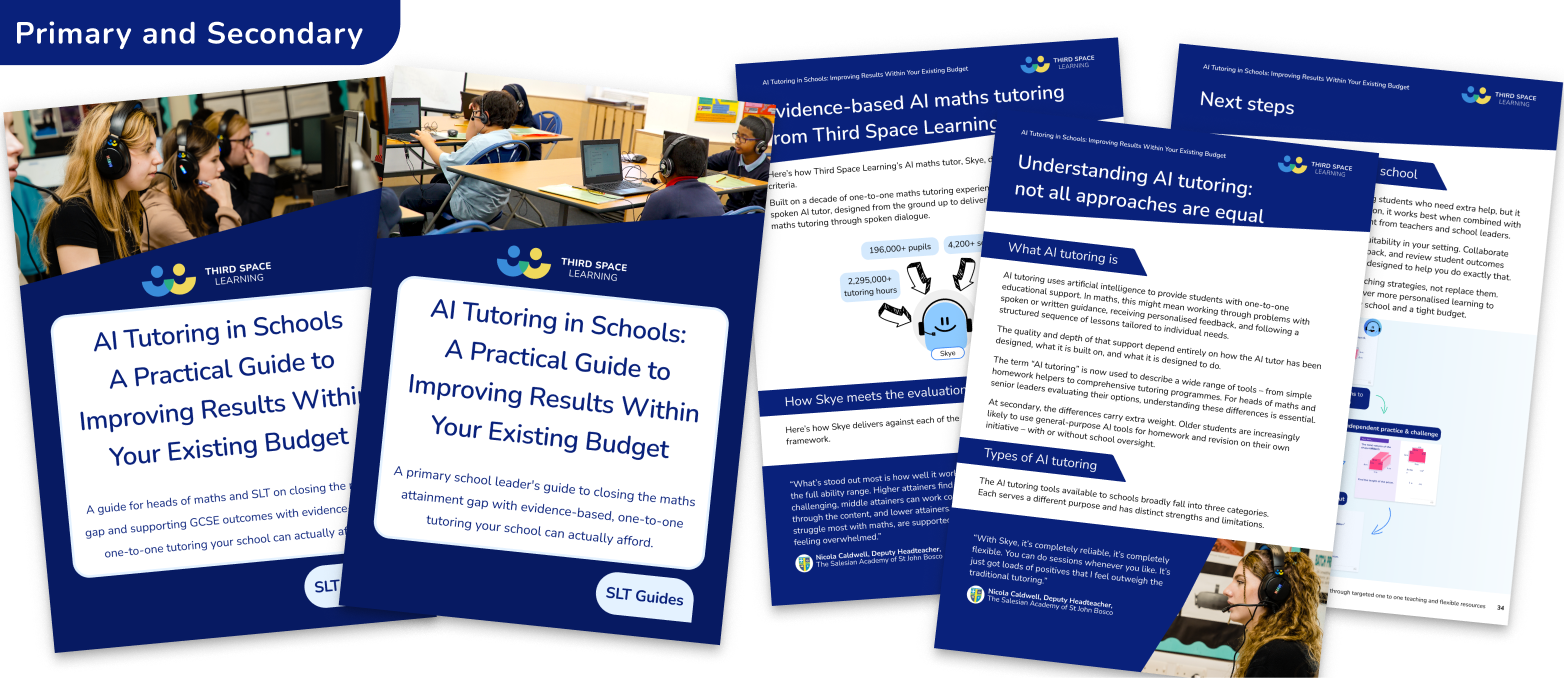
AI Tutoring in Schools: A Practical Guide to Improving Results Within Your Existing Budget
Use this clear step-by-step roadmap built on evidence-based impact to decide which AI tutoring modality is right for your school.
Download Free Now!Why teaching assistants are stretched and where AI can genuinely help
In a typical UK primary or secondary school, a teaching assistant (TA) is often doing three things at once – running a small group intervention, scanning the room for the pupil who is about to dysregulate, and reassuring the child who arrived after a difficult night at home.
The pressures on TAs have intensified in recent years. According to the National Education Union’s 2026 State of Education report, schools are supporting pupils with increasingly complex needs, SEND identification is rising, and TA hours and pay have not kept pace. Many schools now ask one TA to carry responsibilities that a whole team once shared: instructional support, pastoral care, behaviour management, SEND differentiation, administrative tasks, and liaison with teachers, parents, and SENCOs.
Tasks that require human judgment: building relationships, reading the room, responding to what a child doesn’t say, are competing for time with tasks that, in principle, don’t need a person at all: running a fluency drill, repeating a worked example for the fourth time, generating a set of differentiated practice questions, or logging which pupils struggled with a particular concept, for instance.
AI is not a replacement
That is where AI comes in. It’s not to replace teaching assistants – that framing misunderstands both what AI can do and what TAs are actually for. But to take the repeatable, procedural, scalable parts of the teaching assistant role and handle them reliably, so that your human TAs can focus their expertise where it genuinely matters.
This is the heart of the AI teaching assistant conversation: not AI instead of people, but AI technologies handling the tasks that don’t require people, so people can do more of what only they can do.
The national picture: why this conversation matters now
This is no longer hypothetical. In early 2026 the Department for Education announced up to £23 million to develop AI tutoring tools for as many as 450,000 disadvantaged pupils in Years 9 to 11, co-designed with teachers and required to align with the national curriculum and meet DfE safety standards. The announcement drew reasonable criticism – that AI cannot replace the human side of teaching, especially for disadvantaged and SEND pupils. That concern is the whole point: the risk is real only when schools treat AI as a substitute for staff, not when it handles the instructional volume and people stay in charge of the rest.
What an artificial intelligence teaching assistant can handle reliably
Before thinking about how to deploy an AI teaching assistant in your school, it helps to be clear about what AI is actually good at. The tasks where AI adds the most value share a few common features. These tasks share a structure and a rhythm, they reward consistency and patience, and they never require an adult to read a child’s emotional state or make a safeguarding judgment.
Specifically, an AI teaching assistant can:
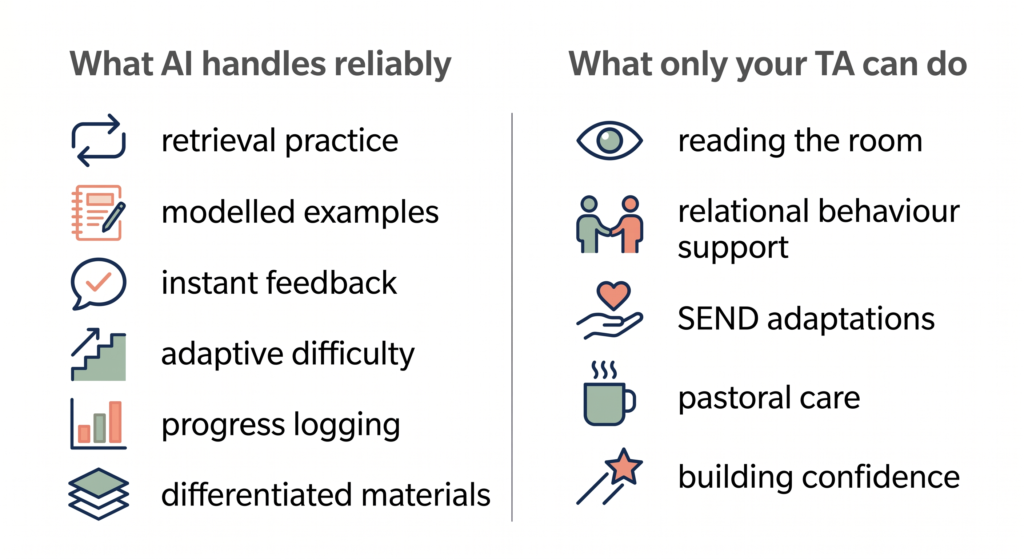
- Deliver retrieval practice and fluency drills without fatigue or inconsistency. AI doesn’t get frustrated repeating the same question stem in a slightly different form for the twelfth time. For pupils who need high-volume, low-stakes practice to consolidate knowledge – particularly in maths – this is genuinely valuable.
- Model worked examples consistently. One of the most common uses of TA time in maths lessons is demonstrating a procedure again for pupils who didn’t follow the first time. An AI teaching assistant can do this on demand, at the pupil’s pace, with scaffolded hints rather than simply giving the answer.
- Provide immediate feedback on student work. AI can assess quickly, identify errors, flag misconceptions, and guide pupils towards the correct approach in real time – the kind of feedback that a busy TA can rarely give to every pupil in a group simultaneously. The grade an AI tool gives may not always be accurate, but the formative feedback is often genuinely useful.
- Adapt question difficulty based on responses. Effective AI teaching assistants adjust as pupils work through problems – moving on when a learner is secure, slowing down when they are not. This kind of real-time, adaptive learning supports every learner without requiring a human to monitor each one individually.
- Generate differentiated materials. Creating three versions of the same worksheet for different ability groups is time-consuming for teachers and TAs alike. AI can produce varied resources quickly, freeing staff time for the work that requires professional judgment.
- Log progress and surface patterns. Which pupils consistently struggle with fractions? Who has made strong progress this term? AI systems can track this data across sessions and surface insights that help teachers and TAs target their time more effectively.
- Repeat explanations without frustration. For pupils with learning differences, the ability to ask the same question multiple times – without any sense of impatience or judgment – can be genuinely liberating. AI is infinitely patient in a way that, even with the best will in the world, humans sometimes cannot be.
What your human teaching assistant will always do better
It is equally important to be precise about what AI cannot or perhaps should not do – and what TAs do every day that no AI teaching assistant can replicate. By definition, TAs are in classrooms to support educators and learners, enabling all students to make progress.
- Read the room. A TA notices that a pupil who is usually engaged has gone quiet. They pick up on the shift in a group’s dynamic before it becomes a problem. They know, from months of relationship, that this particular child’s head-down posture means something is wrong. AI has no access to any of this.
- Manage behaviour through relationships. Most effective behaviour support in schools is relational. A TA who has built trust with a pupil over time can de-escalate a situation with a quiet word and a look. That is irreplaceable.
- Make SEND adaptations based on knowing the child. A pupil’s Education, Health and Care Plan (EHCP) tells you some things. A TA who works with that child every day knows far more – their particular anxieties, the environmental triggers that derail them, the approaches that work and the ones that don’t. AI can support the instructional side of SEND provision, but it cannot substitute for that relational, contextual knowledge.
- Provide emotional support and pastoral care. Children bring the full weight of their lives into the classroom. A trusted adult who can listen, validate, and support is not something any AI teaching assistant can provide – and we should be clear about that.
- Respond to safeguarding concerns. No AI system should be making or acting on safeguarding judgments. That requires trained human adults, professional accountability, and the ability to take action.
- Build confidence and motivation. The moment when a TA says “I knew you could do that” to a child who has been struggling for weeks – the genuine human warmth and belief in that moment – matters enormously to children’s learning. It is not a task that can be automated. And, an AI system that can do those sycophantic motivations – “Good job, Ben!” – is no replacement for that human encouragement.
There’s a concept used in US schools that’s worth borrowing here: the interventionist. Where the UK often positions TAs as general classroom support, the interventionist model is more precise – a specialist who steps in at exactly the moment a child needs human expertise: a de-escalation, a safeguarding conversation, a motivational reset. That’s actually what your best TAs are already doing. AI handling the instructional volume doesn’t diminish that role. It clarifies it. The goal, then, is not to reduce TA time but to redirect it. When AI handles retrieval practice, worked examples, and progress logging, your TAs have more time for the things that actually require a human – and arguably the things that matter most.
Practical ways schools are using AI teaching assistants: real scenarios
Scenario 1: The morning intervention group (primary)
Current situation: A Year 5 TA runs a daily 20-minute maths catch-up group before lessons. Most of the session is spent repeating explanations and managing the group while trying to give individual feedback.
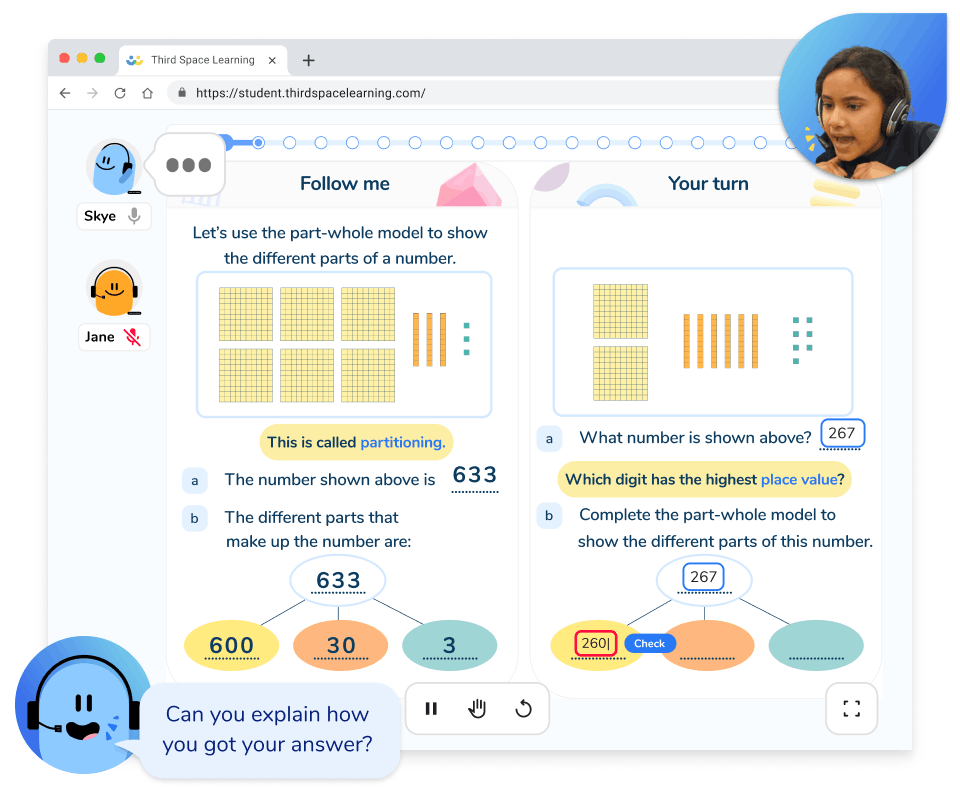
With an AI powered teaching assistant: Pupils work through personalised practice on an AI tutoring platform like Skye from Third Space Learning. Each pupil receives one-to-one spoken interaction with the AI tutor, working through problems at their own level with real-time feedback and scaffolded hints when they get stuck. The TA circulates, watching for pupils who are disengaged or confused in ways the AI can’t detect – and uses that information to inform the class teacher’s planning.
What changes for the TA: Less time repeating the same explanation to different pupils. More time observing, building relationships, and providing the kind of responsive support that only a human can give.
Scenario 2: Cover and absence (secondary)
Current situation: A maths TA is asked to cover a Year 9 lower set when a teacher is absent. They have a very basic lesson plan, limited subject knowledge beyond KS3, and a class of 28 pupils with varying needs that they have to process.
With an AI powered teaching assistant: Rather than filling time with worksheets, the TA uses an AI tutoring tool to run structured, curriculum-aligned practice sessions. Pupils access Google Classroom Practice Sets individually, working on problems matched to their current level, while the TA focuses on the pupils who need human support – the anxious ones, the disruptive ones, those with complex SEND needs.
What changes for the TA: Less anxiety about subject knowledge. More confidence in the room, because the instructional content is handled. And better outcomes for pupils, who get structured learning rather than unplanned cover work.
Scenario 3: Pre-teaching and catch-up (primary)
Current situation: A SENCO wants to pre-teach key vocabulary and concepts to a group of disadvantaged pupils before a new unit. An approach that supports equity in education. There is no additional TA time available to run a session before school and it doesn’t fit into the existing workflow.
With an AI powered teaching assistant: Pupils access short AI-led podcasts created in NotebookLM – either as part of a structured intervention or at home – that introduce key ideas, model worked examples, and check understanding before the unit begins into the student learning. The TA reviews the progress reports from those sessions and uses them to plan higher-quality targeted group support during the unit.
What changes for the TA: Rather than starting from scratch with catch-up after the fact, they enter the unit with insight into what each pupil already knows – and can focus their time on the gaps that really matter.
Scenario 4: GCSE revision intensity (secondary)
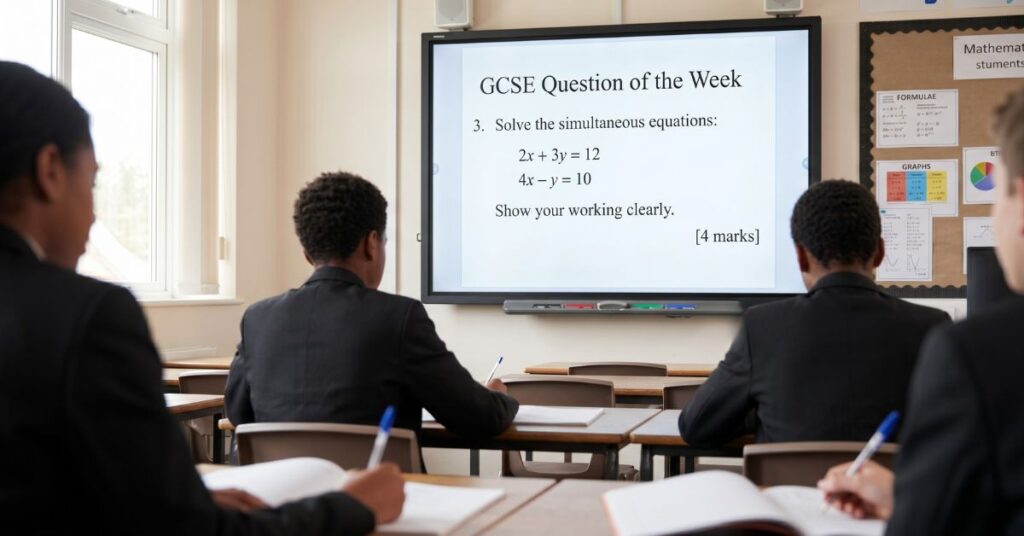
Current situation: A TA supports a group of Year 11 pupils in the run-up to GCSE maths. There simply isn’t enough TA time to give every pupil the practice volume they need.
With an AI powered teaching assistant: IXL runs unlimited independent, repetitive practice – before school, after school, during lunch – with no cap on the number of pupils who can access support simultaneously. Every pupil who needs intensive practice can get it. The TA focuses on the most vulnerable pupils: those with exam anxiety, those whose motivation is fragile, those for whom the human relationship is the most important factor in whether they turn up at all.
What changes for the TA: The volume problem is solved. They can focus their finite time on the pupils whose needs go beyond instructional practice – it’s a double win for the learning experience.
How Skye works as an AI teaching assistant
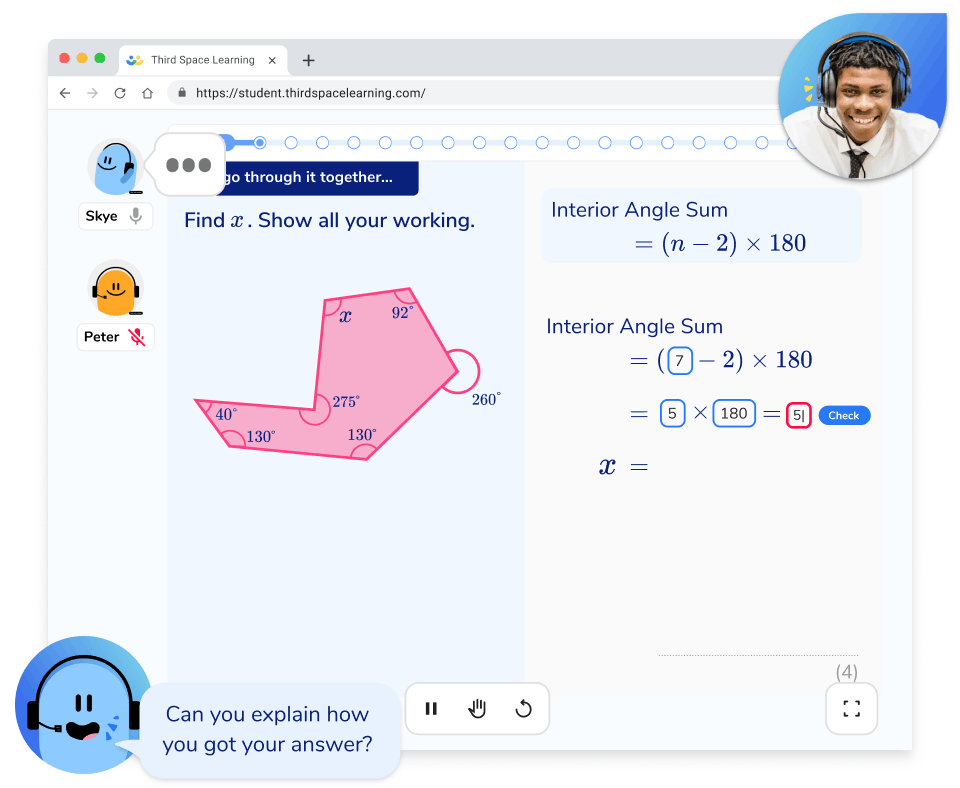
Picture the morning intervention group. Normally, that’s your TA repeating the same explanation for the fourth time while three other pupils wait, lose focus, and need pulling back. With Skye, our AI maths tutor, that changes. Each pupil sits with their own headset, talking through problems out loud with a tutor that listens, responds and gives them a hint when they stall and does it patiently for as long as that pupil needs.
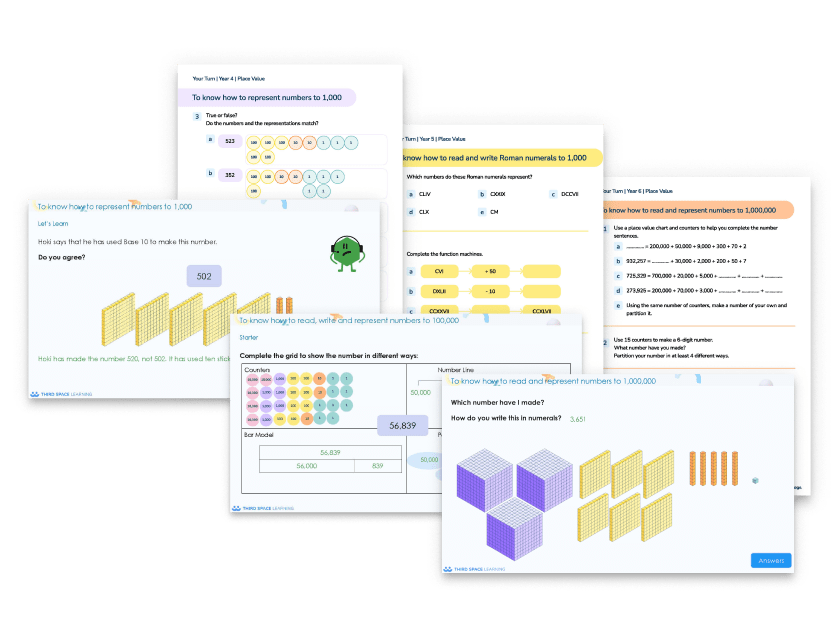
That’s the part that comes off your plate, and your TA’s. The repetition, the worked example modelled again at the right pace, and immediate feedback for every pupil at once, instead of one at a time. When a pupil gets something wrong, Skye spots the specific misconception, offers a hint, scaffolds and walks them through it step by step if they’re still stuck, with the patient, one-to-one attention you’d give if you could be in eight places at once. It opens each lesson by checking what a pupil already knows and adapts from there, so nobody sits through teaching they don’t need or gets left behind in a lesson that moves too fast.
Skye holds its own boundaries on the maths – if a pupil drifts off task, it won’t engage, and steers them back to the work – but it doesn’t notice the child who’s gone quiet because something happened at home.
Because it’s built for schools, you can trust the learning. Skye only ever teaches pre-approved maths lessons. It’s trained to automatically flag anything that could be a safeguarding concern, and its safeguarding policies are aligned with the Department for Education, and no pupil data trains the model.
Arrange a free taster session to see how Skye could work as a virtual teaching assistant in your classroom.
What to consider when introducing AI teaching assistants
Introducing any new technology into schools requires careful thought. AI teaching assistants are no different. Whether you are choosing between tools or deciding how to deploy one you have already picked, the same questions apply. Here are the key questions school leaders should ask before deployment:
What specific tasks are we asking the AI to handle?
Be precise. “Support pupils with maths” is not a task definition. “Deliver 20-minute retrieval practice sessions for Year 4 pupils three times a week” is. In the same way that generative AI tools can support teachers with their planning only when the instructions are specific, explore ways to streamline the requests of any AI tool. The devil is in the detail!
How does this free up TA capacity for higher-value work?
If the AI is simply adding to the school’s provision rather than redirecting TA time, you are not getting the full benefit – and you may be creating new workload.
Is the AI curriculum-aligned and age-appropriate?
Generic AI tools built for adult professional use are not appropriate for use with children in schools. Look for tools developed specifically for education, aligned to the National Curriculum (or the relevant awarding body at GCSE), with content written and checked by teachers rather than generated wholesale. The DfE guidance on generative AI in education is a good reference point here, and it is worth asking any provider how their tool meets it. The DfE’s generative AI product safety standards are a useful checklist here, setting out exactly what a safe AI product should do.
What safeguarding and supervision protocols are in place?
AI teaching assistants should always operate within a supervised framework, with a trained adult accountable for what happens in the room. Pupils should never be left alone with an AI system without adult oversight in the building, and the tool should never be making or acting on safeguarding judgments itself. Your school’s AI policy should cover this in detail.
How will you measure impact on TA workload, not just pupil outcomes?
One of the clearest benefits of AI teaching assistants is the time they return to human staff. Build in a way to measure this and how confident staff are in using the tools – not just test scores.
Have you involved TAs in the decision?
TAs who understand why AI is being introduced, and who can see that it is designed to support rather than threaten their role, are far more likely to engage with it effectively. Consultation is not optional – it is your commitment to investing in collaboration.
Warning signs to watch for
- AI presented as a way to “do more with less staff” – this is the wrong framing, and TAs will know it
- Generic chatbot tools not built for educational contexts or departments
- Lack of transparency about data use, content sources, or limitations
- No clear plan for human oversight and supervision
- Deployment without TA involvement or training
25+ quick ideas and uses for AI teaching assistants
Daily practice and fluency
- Run morning fluency drills in maths before lessons begin
- Deliver times tables practice with real-time feedback
- Provide phonics and reading fluency support in primary
- Run short low-stakes quizzes that students can play at the start or end of a lesson
- Deliver spaced retrieval practice across a week or term
- Use AI to generate fresh practice sets daily without TA prep time
Differentiation and adaptation
- Generate levelled versions of tasks for different ability groups
- Create adapted resources for pupils with reading difficulties
- Produce scaffolded worked examples for pupils who need more support
- Adapt lesson materials for EAL pupils automatically
- Provide hints and prompts at the point of difficulty, not just at the end
Catch-up and pre-teaching
- Run pre-teaching sessions before a new unit to close vocabulary gaps
- Deliver targeted catch-up for pupils who missed content through absence
- Use AI to identify specific misconceptions before the teacher addresses them in class
- Provide homework or assignment support that gives immediate feedback without requiring TA time
Exam preparation
- Deliver structured SATs or GCSE revision programmes with AI
- Run timed practice sessions with exam-style questions
- Identify which topics need most revision through AI progress data
- Provide access to unlimited revision sessions without scaling cost
Assessment and feedback
- Use AI to log which pupils struggled with which concepts in each session
- Surface patterns across a class to inform teacher planning
- Provide pupils with immediate knowledge of results to support learning
- Generate draft reports on pupil progress from session data
Teacher and TA workflow
- Use AI tools to draft differentiated worksheets and resources from existing files
- Use AI in the classroom to generate first drafts of lesson plans for TA-led sessions
- Create parent communication templates for common scenarios
- Summarise pupil progress data for EHC plan review meetings
How to create your own AI teaching assistant
The AI teaching assistants getting the most traction in schools right now aren’t just off-the-shelf tools. They custom-built assistants that know your curriculum, your pupils’ context, and your school’s approach. Most of the major AI platforms – ChatGPT (via Projects or custom GPTs), Google Gemini (via Gems), and Claude (via Projects) – now let you build a persistent, configured assistant that behaves consistently every time it’s used. Our practical guide to using AI for maths covers more of the wider context.
Here’s what you actually need to do it.
What to ‘train’ your assistant with
You’re not training a model from scratch – you’re giving it context and instructions it will apply every time. Think of it like briefing a very capable new TA on their first day. The more specific you are, the better the output.
Useful documents to upload or reference:
- Your maths department calculation policy or subject-specific teaching approaches
- A glossary of key vocabulary for the year group or unit
- Pupil-facing success criteria or learning objectives for current topics
- Examples of the kind of feedback language you want it to use
- Any relevant extracts from your SEND policy on scaffolding or communication
What instructions to give it
The system prompt (the standing instructions your assistant follows) is where most of the work happens. A well-written prompt for a TA-style assistant might include:
Role: "You are a teaching assistant supporting KS2 pupils with maths. Your job is to help pupils work through problems, join concepts and not give them answers directly."
Tone: "Use simple, encouraging language. Never make a pupil feel silly for getting something wrong."
Method: "When a pupil is stuck, ask a guiding question rather than explaining. Use the school's 'I do, we do, you do' approach."
Limits: "Do not discuss anything unrelated to the task. If a pupil seems distressed, tell them to speak to their teacher."
Curriculum context: "We are currently working on written methods for multiplication with Year 5. Refer to the column method as described in our calculation policy."A worked example: building a Year 6 SATs revision assistant
- Open Claude and create a new Project
- In the system instructions, paste your role, tone, method, and limits
- Upload your SATs revision guide, topic list, and any pupil-facing revision materials. Add the other ‘useful documents’ listed above
- Test it by asking it questions the way a pupil would to check the tone, the accuracy and the scaffolding
- Share access with TAs who can use it in revision sessions or set it as a homework support tool
An assistant, not a replacement
The conversation about AI in education is often framed as a question of replacement: will AI take teachers’ jobs? Will it make TAs redundant? This framing is both inaccurate and unhelpful – and it is particularly unhelpful in schools, where TAs often feel their value is already underrecognised.
The more useful question is this: which parts of the teaching assistant role genuinely require a human being, and which parts could be handled better by an AI system that is infinitely patient, always available, and never needs to be in two places at once?
When you answer that question honestly, AI looks less like a threat and more like a release valve. The instructional volume – the practice, the repetition, the feedback loops – can be handled at scale by AI. The relationships, the safeguarding, the pastoral care, the contextual judgment: that remains, always, the domain of people.
Maybe the question isn’t whether AI will replace teaching assistants. Maybe it’s whether AI finally gives TAs the space to become what many of them effectively already are: interventionists. Specialists in the human moments that change outcomes, not because they’ve been freed from real work, but because the real work has been properly defined at last.
Schools that get this right will not have fewer TAs. They will have TAs whose expertise is better deployed, whose time is focused on the work that actually changes children’s lives, and who can see – clearly – that the technology is working for them, not instead of them.
That is what it means for AI to be a teaching assistant, not a replacement.
AI teaching assistant FAQs
An AI teaching assistant is a technology tool that can handle the structured, repeatable parts of instructional support: delivering practice activities, providing feedback, modelling worked examples, and tracking progress. Unlike a human TA, an AI teaching assistant can work with multiple pupils simultaneously, at any time of day, and never gets tired or frustrated. The best AI teaching assistants – like Skye from Third Space Learning – are purpose-built for education, with content developed by teachers, instructors and curriculum specialists.
No. AI can handle bounded, procedural instructional tasks reliably. It cannot build relationships, read the room, respond to safeguarding concerns, provide emotional support, or make the contextual judgments that effective TA work requires. The schools getting the most from AI teaching assistants are using them to free up TA capacity – not to reduce TA headcount. TAs who work alongside AI tools typically report that they appreciate having routine instructional tasks automated so they can spend more time on the human aspects of their role.
The best AI teaching assistant depends on what you need it to do. For maths intervention and practice, Skye from Third Space Learning is purpose-built for UK primary and secondary schools, curriculum-aligned, and backed by data from millions of tutoring sessions. For general classroom preparation – lesson plans, resource creation, differentiation – tools like Oak National Academy’s Aila resources, Claude, Google Gemini or Microsoft Copilot for Education offer useful starting points. The key is matching the tool to the task, and ensuring anything used with pupils directly has been developed with education safeguarding and curriculum quality in mind.