
AI Maths Tutoring: The Questions Schools Ask Us Most – Answered Honestly

For a lot of schools, maths is the subject where the gaps show first and close slowest. There are always more pupils who need one-to-one support than the tutoring budget or the timetable can stretch to. That tension is behind almost every question primary and secondary school leaders put to us, so we have gathered the ones we hear most often on calls and answered them as straight as we can.
The questions below come in six groups: cost, what “unlimited” means, how Skye teaches, safeguarding, getting started, and the tech you need. Skip to whichever one is on your mind.
Cost of AI tutoring
How much does AI tutoring cost, and is it based on the size of our school?
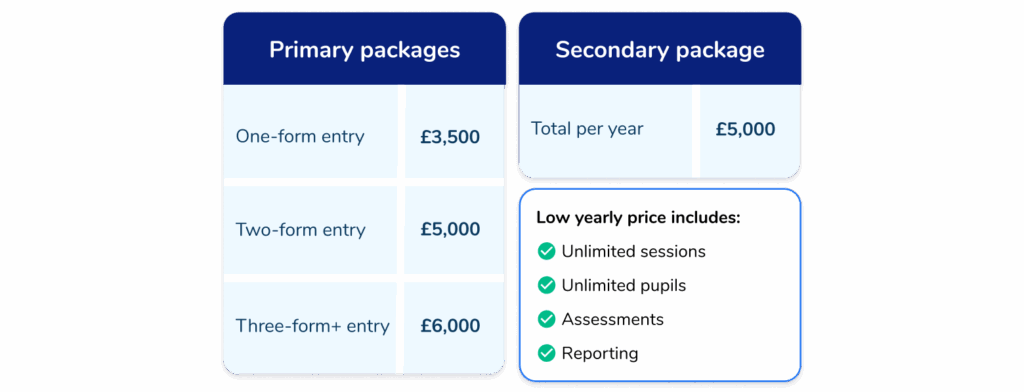
There is one fixed yearly price, and it covers unlimited pupils and unlimited sessions. For primary schools, it depends on the size of your school: £3,500 a year for one-form entry, £5,000 for two-form entry and £6,000 for three-form entry and above. Secondary schools pay one fixed price of £5,000 a year, whatever their size.
There is no per-pupil sum to work out and no charge for adding more children later. Bigger schools pay a little more because they tend to support more pupils, but the price is set by school size, not by how much you use it.
We’ve only got a small group who need tutoring. Can we still justify it?
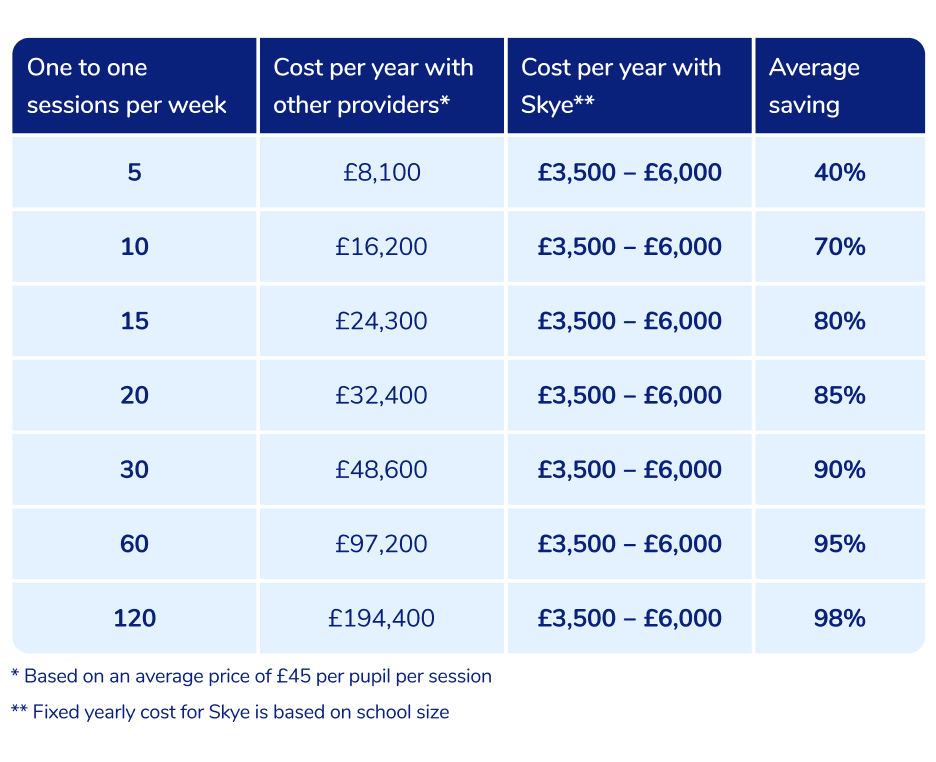
You can, and the maths gets better the more pupils you include. Because the price is fixed and the sessions are unlimited, the cost per pupil falls every time you add a pupil. Set against the roughly £45 a session that other one-to-one tutoring providers charge, a two-form entry primary using Skye typically saves around 90%.
“Governors are always very keen on making sure we are using our funds well, and so to go back and say, well we’re actually saving money, it is very rare. So from £60,000, we are down to £5,000.”
Simrat, Deputy Headteacher and SEND Lead, St Giles’ CofE Primary School
There is also no need to commit everyone at once: plenty of schools start with a small group and extend to more pupils or year groups as the year goes on, without paying any extra. It is a tutor for every pupil who needs one, rather than a fixed set of paid-for places.
Is there any flexibility on paying for AI tutoring if the budget isn’t there this year?
Sometimes, it is worth asking rather than assuming. Discounts are available for two- and three-year contracts, and for trusts with several academies using Skye. A three-year contract also locks in today’s price. Beyond that, some schools ask about spreading payment or timing a start to suit the budget year – those are conversations to have with our team; we would rather talk them through honestly than promise something here that might not apply to your school.
What “unlimited” AI tutoring actually means
Do we have to book a tutoring slot, or can they just log on?
Both, and most schools use a mix of the two. With scheduled sessions, your school sets the times and lengths that suit your timetable – a 30-minute session on Monday afternoon and a 40-minute one on Thursday morning, for example – and a member of staff supervises them.
With self-launched sessions, if your school turns them on, pupils can start a lesson themselves any time between 8am and 8pm, Monday to Friday, which also makes them useful for homework at home. “Unlimited” means you can run as many of either as you like, and add more at any point, without the cost changing.

READ MORE: How schools like yours are using AI tutoring
What happens if a tutoring session gets delayed because school happens?
Nothing. Pupils can join a scheduled session at any point during its time slot, so arriving a few minutes late is fine. If they miss one altogether, nothing is lost – Skye simply picks up where they left off next time. That flexibility is one of the practical reasons schools like AI tutoring with Skye: a normal school week rarely runs to plan, and the odd disruption does not cost you a session.
Near exams, can we suddenly put more learners on tutoring?
Yes. Because there is no licence cap, you can widen access whenever you need to – a whole cohort in the run-up to SATs or GCSEs, say – without paying any more. You can also increase how often pupils have sessions, doubling them up in the final weeks before an exam, again without finding extra budget. Several schools scale up for the spring term and back down afterwards, and the price does not move either way.
How AI tutor Skye teaches maths
Will AI tutoring replace our teachers?
No. Skye is there to support teaching, not to take it over. Teachers choose the topics, decide which pupils take part and stay in control of how the tutoring fits their planning.
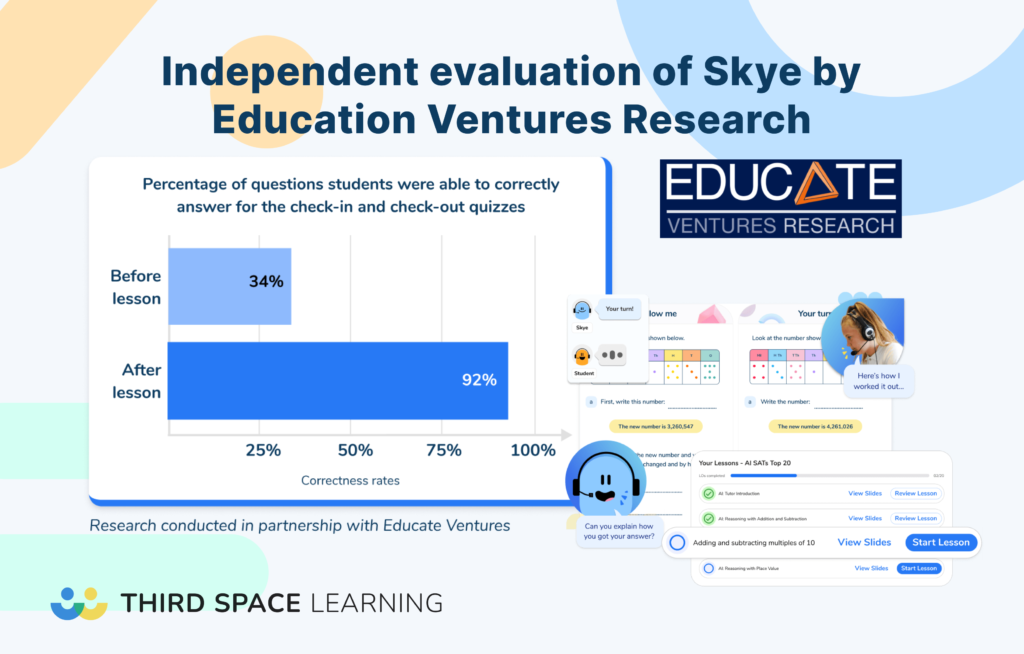
An independent evaluation by Educate Ventures Research described the AI as complementing teaching and preserving teacher agency, which matches how we want it used: as another pair of hands for the one-to-one that teachers rarely have time to give every pupil.
“AI tutoring isn’t about replacing teachers, but it is a practical, scalable way to support students, and for us, it’s been a positive step forward.”
Gareth Barratt, Key Stage 4 Director, Richard Rose Central Academy
How does an AI tutoring session actually work?
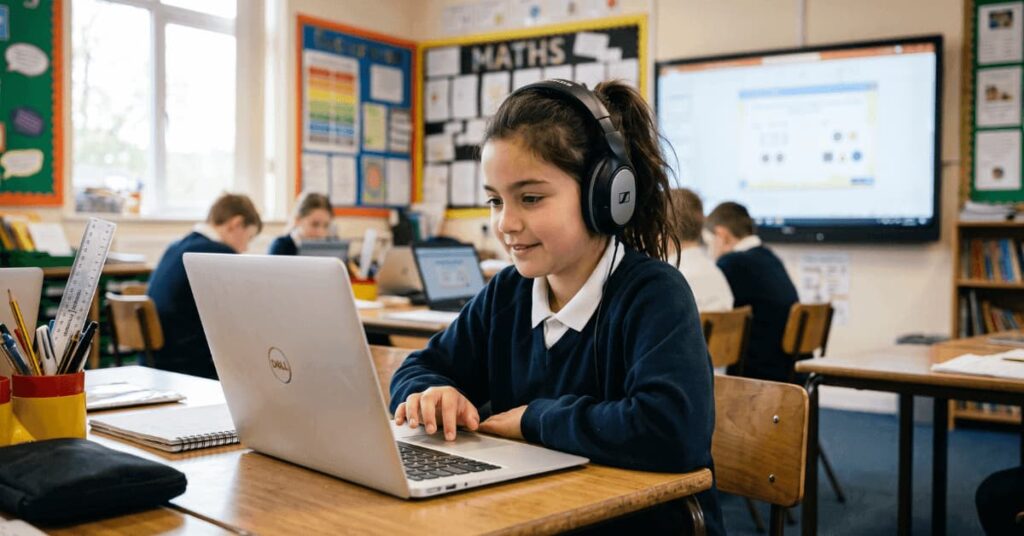
When a pupil joins a session, they see the lesson slides on screen, and Skye talks to them through their headset, much like a real tutor. They take it in turns to speak, type answers when Skye prompts them, and work through the maths questions together. It is a back-and-forth conversation about the maths, rather than a worksheet a pupil fills in on their own.
“Pupils quickly learned how to interact with Skye, using the prompts, asking for help when they didn’t understand, and responding confidently to the instant feedback.”
Nicola Caldwell, Deputy Headteacher, The Salesian Academy of St John Bosco
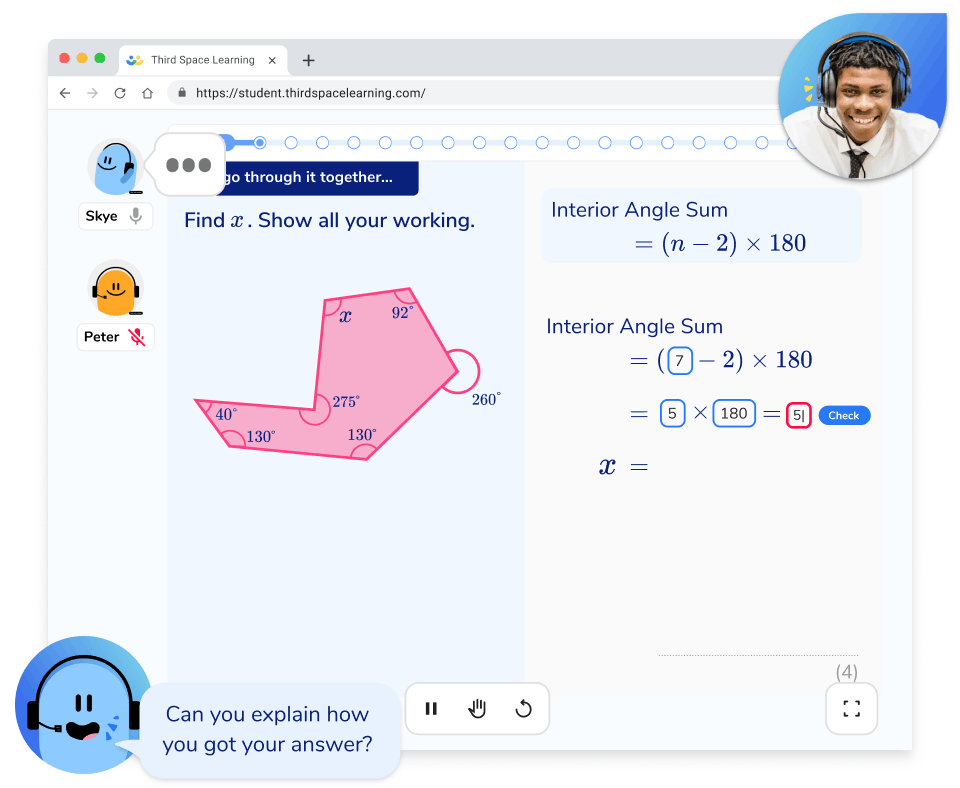
Does AI tutoring actually explain the method, or is it just question and answer?
AI tutoring with Skye teaches the method. For primary pupils, Skye works through the “I do, we do, you do” approach; for secondary students, it uses the “let’s try this together, your turn” approach. Both approaches model the maths first, work through it together, then let the learner try.
Skye gives hints and prompts rather than handing over the answer. Because the learner still has to do the thinking, this avoids the cognitive offloading that happens when a student copies a ready-made answer from a general chatbot and never engages with the maths.
Educate Ventures Research noted this same guidance-over-answers design. So it is closer to a patient teacher or tutor talking a pupil through a problem than a quiz that only marks right or wrong.
“As children become more confident talking about maths, their ability seems to increase and their reasoning increases as a result, which is such an important element of the maths curriculum.”
Connor McMahon, Assistant Headteacher and Maths Lead, De Lacy Primary School
“Every single student’s getting that one-to-one, step-by-step, how do you tackle these problems. That careful, patient scaffolding we think will benefit some of our SEN learners long term.”
Natalie Thompson, Academy Improvement Advisor for Maths and Numeracy, Fairfax MAT
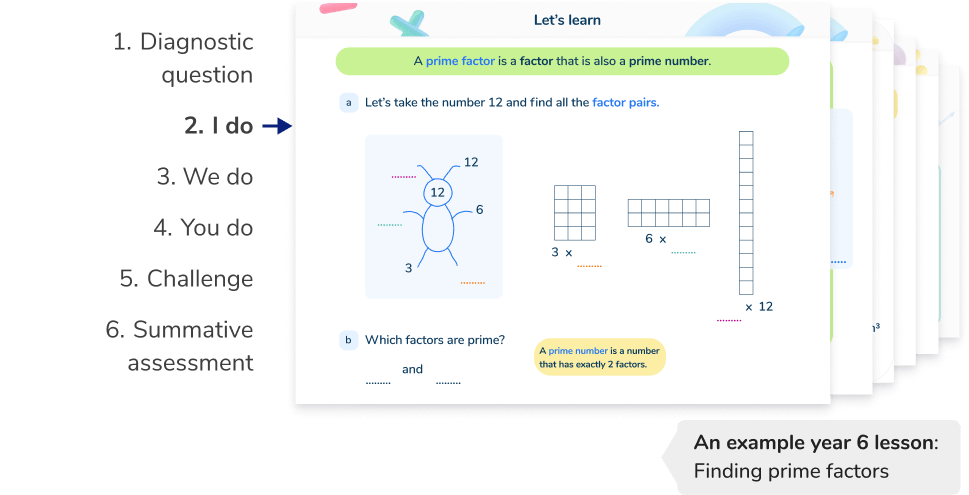
Do pupils get assessed, and how are AI tutoring sessions personalised?
Assessment is built into every lesson. Each session opens with a Skill Check-In, so Skye can gauge where a pupil is starting from and adapt the lesson in real time. If they are already secure, Skye moves them on to independent practice and challenge; if they are not, it uses scaffolded slides to teach the concept step by step, modelling a similar example and working through questions together before the pupil tries on their own. Throughout, Skye uses that formative picture to spot misconceptions and adjust its hints, and each lesson closes with a Skill Check-Out to confirm understanding and track progress over time.
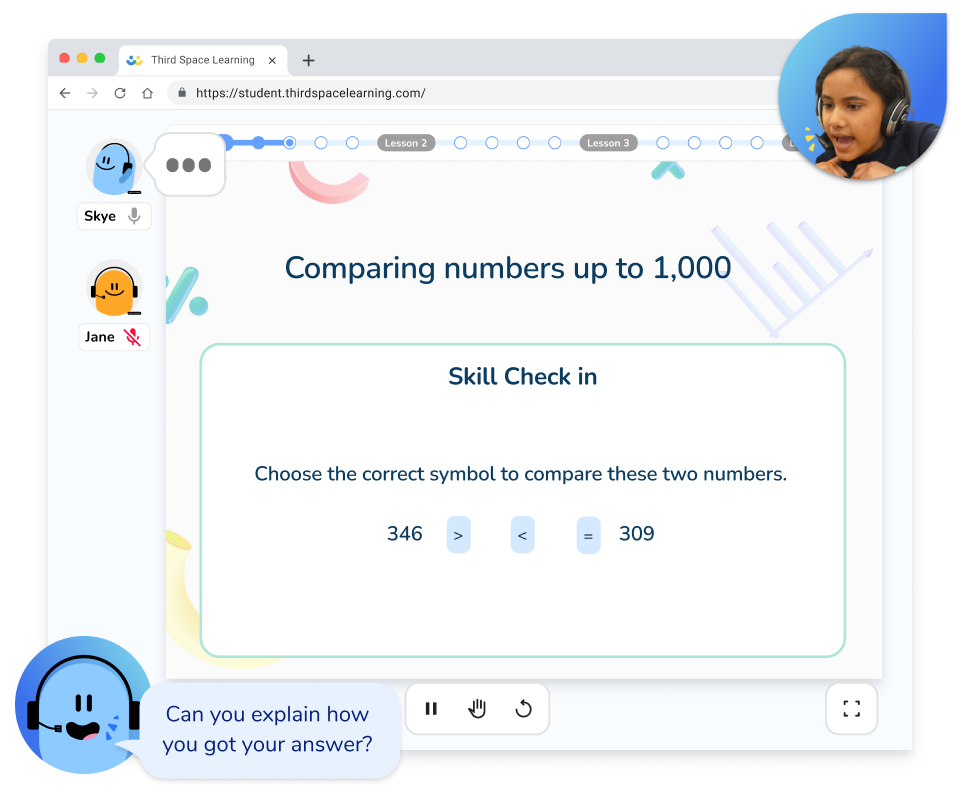
How does Skye handle it when a learner makes a mistake or has a misconception?
Skye is designed to spot the misconceptions that come up again and again in maths and to scaffold a pupil back from them, rather than just marking an answer wrong. This works because the maths is not improvised: every lesson is written and checked by our team of qualified teachers, and Skye does not invent its own questions.
“I’ve never seen Skye teach anything wrong or any misconceptions”
David Gooding, Assistant Headteacher, Harrison Primary School
“Some learners have some misconceptions. In a normal classroom, it might take a while for those misconceptions to be diagnosed and then to be tackled by the teacher, so it might be 20 minutes before you do that. But with Skye, as soon as a pupil gets it wrong, there’s a tutor doing an input.”
Chrissy Roberts, Assistant Principal and Head of Maths, Bournville School, part of the Fairfax MAT
How do we track what pupils do in tutoring, and whether it’s working?
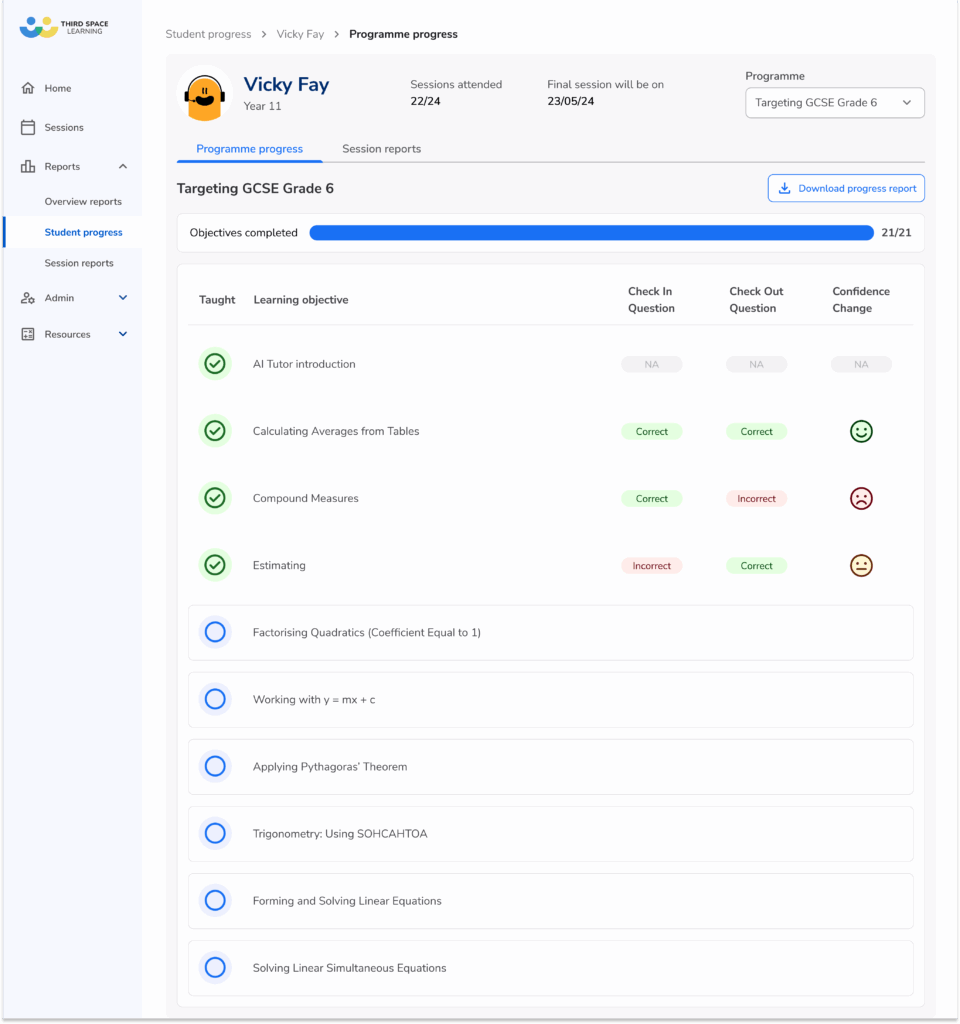
There are several reports built into the platform. An overview report gives you the high-level picture, such as average attendance and how many learning objectives pupils are completing per session. Pupil reports let you follow each learner’s progress over time, and session reports show you what happened in an individual lesson. Between them, you can see who has been on, how they are getting on, and where a pupil might need more support in class.
“We track progress by keeping an eye on what students cover and how that aligns with their target grades and mock assessments. Participation has improved as they’ve grown used to the format.”
Gareth Barratt, Key Stage 4 Director, Richard Rose Central Academy
AI tutoring, safeguarding and pupil data
Does an adult have to watch every tutoring session?
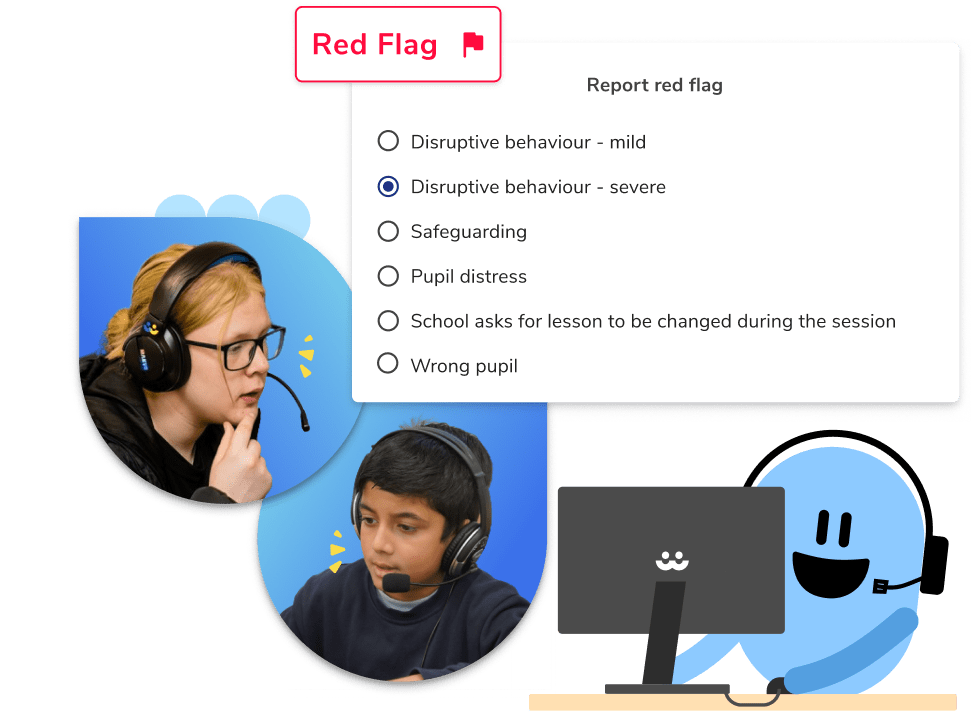
A member of your staff supervises sessions, but they do not have to watch every exchange on screen. Safeguarding is built into how Skye works rather than resting on an adult catching everything live: every session is recorded and transcribed, and anything of concern is flagged for review.
If a member of staff does want to look in, there is an observer function – anyone with an account can join a live session silently, hearing Skye and the pupil and seeing the slides, without their name showing or their voice being heard.
What happens if a student says something that raises a concern during a tutoring session?
Every session is recorded and transcribed, and Skye is built to flag concerns for review rather than to make any judgement itself. Anything that looks like a safeguarding concern is reviewed quickly and the school’s leadership team is contacted, usually within 24 hours, with the recording attached so your team can follow your own procedures. You keep control of the safeguarding decision; Skye’s job is to surface the concern and give you the evidence.
“One year 11 student tried to test it by asking Skye, ‘What’s your favourite film?’ Skye just looped back to the maths task. That moment reassured me more than any policy document – and it helped me reassure parents.”
Chrissy Roberts, Assistant Principal and Head of Maths, Bournville School, part of the Fairfax MAT
Is our pupils’ data safe with AI tutoring, and does it meet GDPR and DfE expectations?
Yes. Skye is UK GDPR compliant, the platform is hosted on Amazon Web Services in Ireland, and your pupils’ data is never used to train the AI model. Third Space Learning acts as an independent data controller for the tutoring sessions, so you do not need a Data Processing Agreement, while your school remains controller of the decision to use Skye and which pupils take part. You can find the full details, including a pre-completed DPIA template, on our trust and compliance page. Our safeguarding processes were audited every term for four years by the DfE as part of the National Tutoring Programme. It is also aligned with Keeping Children Safe in Education.
“Before we could implement this in terms of a whole trust, we had to do our data impact assessments, our DPIA. Third Space really supported us, because pretty much I sent the documents to Third Space and they filled most of it in for us. That was a great help for us, but also gave us confidence that the checks from Third Space were really in place.”
Natalie Thompson, Academy Improvement Advisor for Maths and Numeracy, Fairfax MAT
Getting started with AI tutoring
Can we try AI tutoring before we commit?
Yes, and we would rather you saw it properly than took our word for it. You can try Skye for free, or book a demo and see Skye in action with your team before you decide.
How quickly can we have students on AI tutoring?
Usually faster than schools expect, which matters when you want pupils supported before SATs or mocks. Onboarding is mostly a case of setting up your staff and pupils and choosing your slots. We will give you a realistic timeline for your school when you get in touch, rather than quote a number here that might not hold for every start date.
“It was really, really quick to set up. Third Space really supported us with that, so we gave them the Year 11 list of names and what targets there were and every pupil got uploaded. They could get on with it, and we know what they’ve been taught; we could keep an eye on it.”
Natalie Thompson, Academy Improvement Advisor for Maths and Numeracy, Fairfax MAT
Can we focus tutoring on a specific topic we’re teaching?
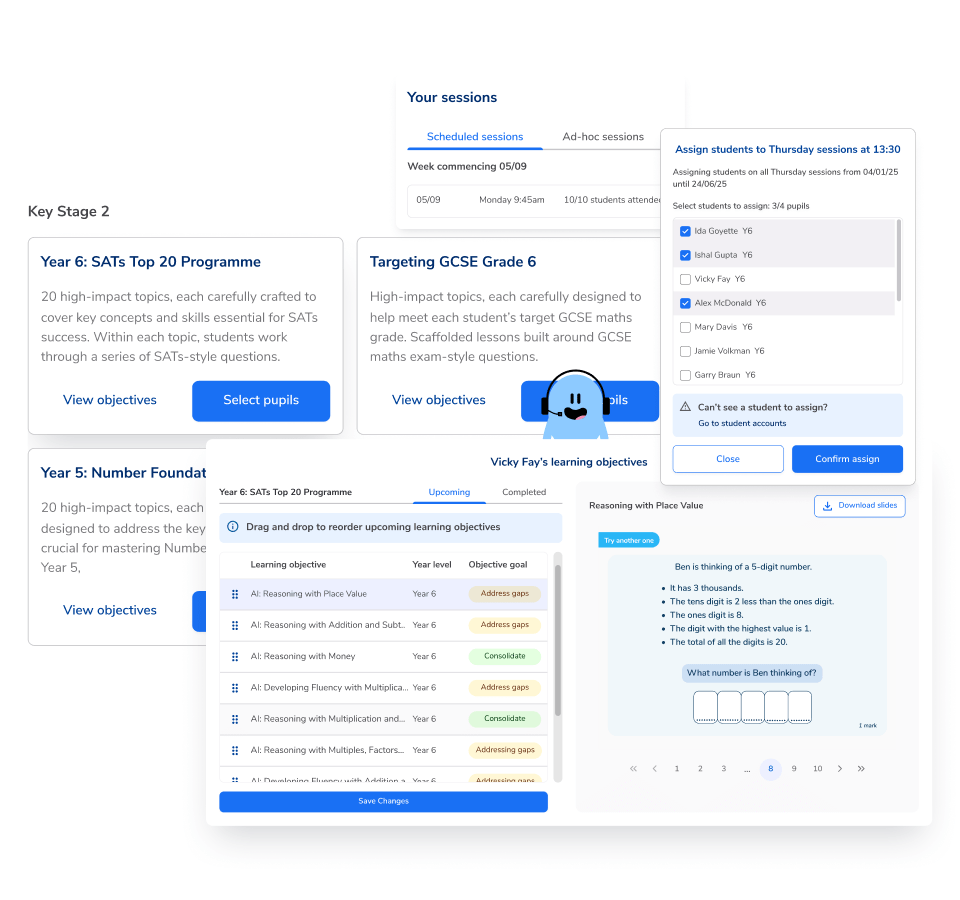
Yes, in a couple of ways. When pupils self-launch a session, they choose which topic to work on from the programme the school has assigned them. For scheduled sessions, schools can reorder the topics in some of the programmes so they line up with what pupils are covering in class – you can do this at the start of a term or programme, or more often if you want to. One exception worth knowing: the SATs programme runs in a fixed order and cannot be reordered.
School technology and AI tutoring
Will AI tutoring work on iPads, when our computers are old?
In most cases, yes. Skye runs on laptops, desktops and Chromebooks through Chrome and on iPads, using the latest version of Safari.
Do we need special headsets for AI tutoring?
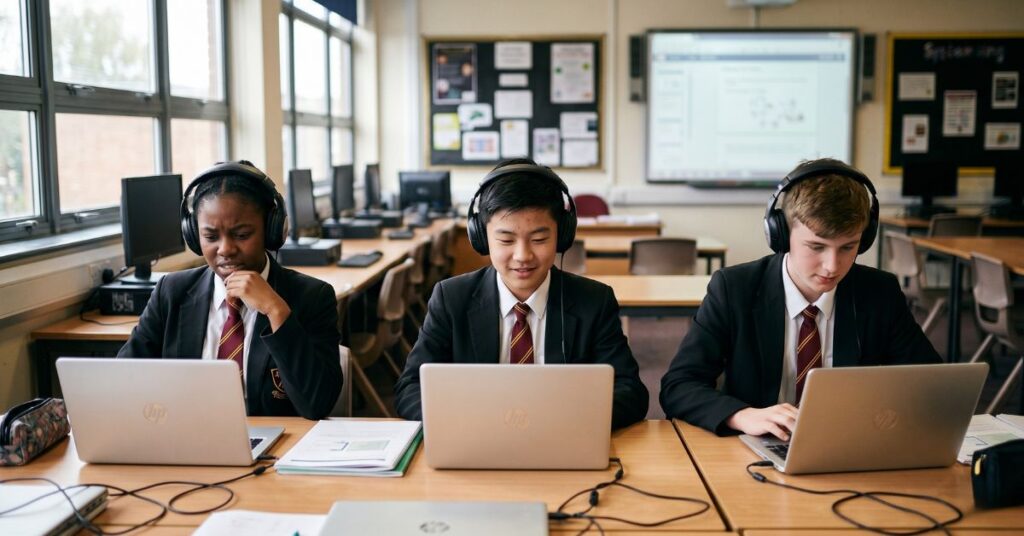
For sessions in school, yes: each pupil needs a sturdy over-ear headset with a microphone positioned in front of the mouth, worn every time, because the lesson is spoken. It is also worth running sessions in a reasonably quiet space – the Educate Ventures Research evaluation flagged that microphone quality and background noise genuinely affect how well the speech recognition works. Pupils doing a session at home can manage without a headset, as long as they have a quiet room and a laptop, desktop or iPad.
Can a whole class do AI tutoring at once, in one room?
Up to a point, but it pays to be realistic here. We generally suggest no more than around 15-20 pupils in a room, with enough space between them, each at their own desk with a headset and supervised by a member of staff.
A full class all going at once in a single room tends to run into background noise, which makes the spoken sessions harder work – so if you want to put a whole class on at the same time, it usually works better split across two rooms.
Still have a question about AI tutoring?
These are the AI tutoring questions we hear most, but yours might not be on the list. If there is something specific to your school – a year group, a timetable constraint, a safeguarding policy you need to square this with – the honest answer usually comes from a short conversation. You can book a demonstration or talk it through with our team, and we will tell you straight whether Skye is the right fit.