

AI in teaching: what works, what doesn’t and where teachers should draw the line

For most teachers, the first real lesson in artificial intelligence does not come from a training day. It comes at 7am, in front of a blank planning document, with five retrieval questions to write, tomorrow’s worksheet to adapt, a parent email to send and a lesson to think clearly about.
I teach, and I train other teachers to use AI well across a range of education settings. I also use it every day myself: lesson planning, retrieval quizzes, parent emails and differentiating worksheets for SEND and EAL pupils. So I say this from experience rather than theory. Generative artificial intelligence is not a replacement for teachers, and it is not a magic solution to workload. It is a tool that moves you from a blank page to a workable first draft. The important word is first.
First drafts are not teaching. AI can generate practice questions, a model answer or a lesson outline that look polished and are still badly sequenced, pitched at the wrong level, or quietly unhelpful. Teaching is the judgement that follows: knowing what pupils already understand, where they are likely to go wrong, and what to change next. So the rule I keep coming back to is simple – AI can do the draft, but the teacher must do the judgement.
Used well, the right tools can genuinely enhance teaching and give time back without lowering the bar. Used poorly, they produce generic resources, introduce errors and create real problems with data protection and intellectual property. This article is a practical guide to where artificial intelligence helps in education, where it goes wrong, and where teachers and school leaders need to stay firmly in control, including a prompt framework you can use tomorrow and the lines I never cross.

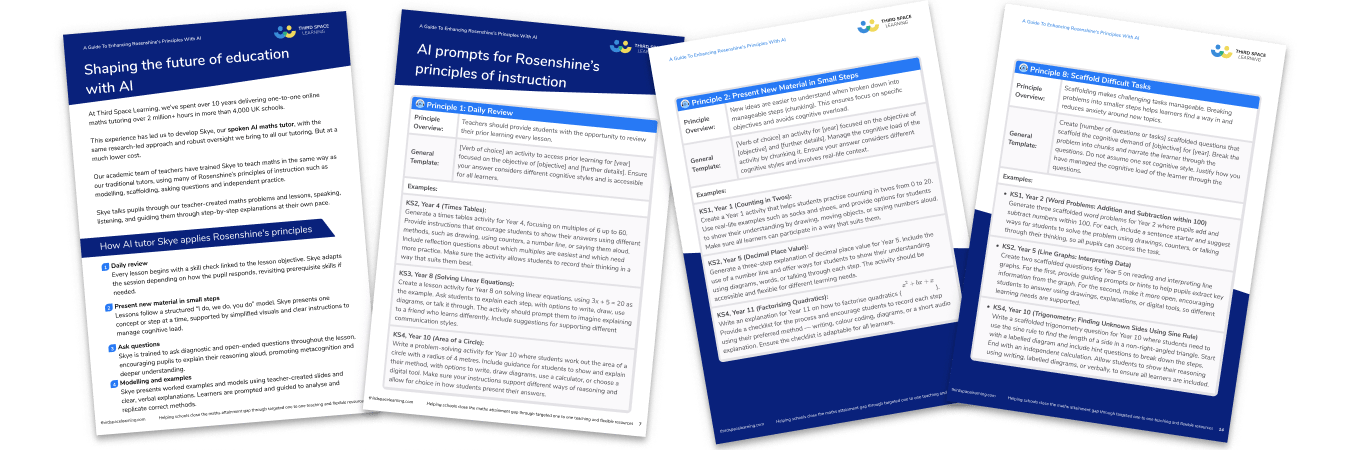
A Guide to Enhancing Rosenshine’s Principles with AI
Save planning and resourcing time while implementing research-backed teaching strategies with these ready-made AI prompts that complement Rosenshine’s principles of instruction.
Download Free Now!Key takeaways
- AI in teaching, used well, gives time back without lowering the bar. The author uses it daily for lesson planning, resource generation, retrieval quizzes, parent emails and differentiating worksheets for SEND and EAL pupils, and has worked out where the line sits.
- The rule of thumb: AI does the draft, the teacher does the judgement. It does not mark student work, write reports about specific children, or touch anything involving personally identifiable information.
- The DfE’s June 2025 guidance and the EEF’s lesson-planning trial (showing teachers saved 31% of planning time) are reshaping what’s expected.
- For maths specifically, generalist chatbots help with planning, but purpose-built AI maths tutors do something different: deliver pedagogy-led one-to-one support at scale.
When teachers started using AI in teaching
For many teachers, the first useful use of AI tools was ordinary: rephrasing a parent email, drafting a retrieval quiz, adapting a worksheet or producing a model answer.
That is where AI in education earns its place. It reduces the time spent on repetitive drafting so teachers can protect more time for the work that requires professional expertise.
The risk is that AI often produces something that looks better than it is. It can be fluent, formatted and confident while still being shallow, inaccurate or badly sequenced. That is why the key question is not, “Can AI produce this?” It is, “Can a teacher evaluate and improve what AI produces?”
For a wider look at how schools are already using AI tools across planning, workload and classroom tasks, see Third Space Learning’s guide to how schools are using AI.
Where AI has earned its place in teachers’ workload
AI in education is often useful for drafting lesson outlines, generating retrieval questions, creating first versions of resources, producing model answers, adapting explanations, rephrasing parent communication, and creating examples, non-examples and misconception prompts.
This is no longer just an informal teacher workaround. AI in education has moved from the margins into mainstream guidance, and the DfE’s guidance on generative AI in education recognises that teacher-facing AI tools can support lesson and curriculum planning, resource creation, tailored feedback and administrative tasks. It also makes the boundary clear: AI may reduce workload, but teachers and leaders remain responsible for checking accuracy, appropriateness and quality.
The EEF’s lesson-planning trial points in the same direction. In that study, teachers using AI saved 31% of their planning time. The significance of that finding is not that AI can replace planning, but that it can reduce the drafting burden when teachers remain in control of the curriculum decisions. Across education systems, the same pattern holds: AI in education saves time only when professional judgement stays in charge.
These are useful tasks because the teacher can check the output. They are not handing over responsibility. They are using AI to accelerate the first stage of the work.
CRISPY prompt structure
Good use of artificial intelligence starts with better prompts. A vague prompt usually produces a vague output. Ask AI to “make a lesson on fractions” and it will almost certainly give you something that looks like a lesson. But many teachers prompt poorly, get poor results and then conclude that AI is not a useful tool.
One way to structure better prompts is through the CRISPY framework:
- C – Context Set out the educational situation: year group, topic, learning objective and what pupils already know.
- R – Role Tell the AI what expertise to adopt, such as an experienced teacher with knowledge of curriculum design, scaffolding and adaptive teaching.
- I – Instruction State the task clearly: for example, create three versions of the same worksheet.
- S – Style Define how the output should read: clear, pupil-friendly, simple layout and low reading load.
- P – Parameters Set the boundaries: same learning objective, no lowered expectations, essential vocabulary retained, no irrelevant contexts.
- Y – Yield The final output: include formatting protocols, file type and other key components.
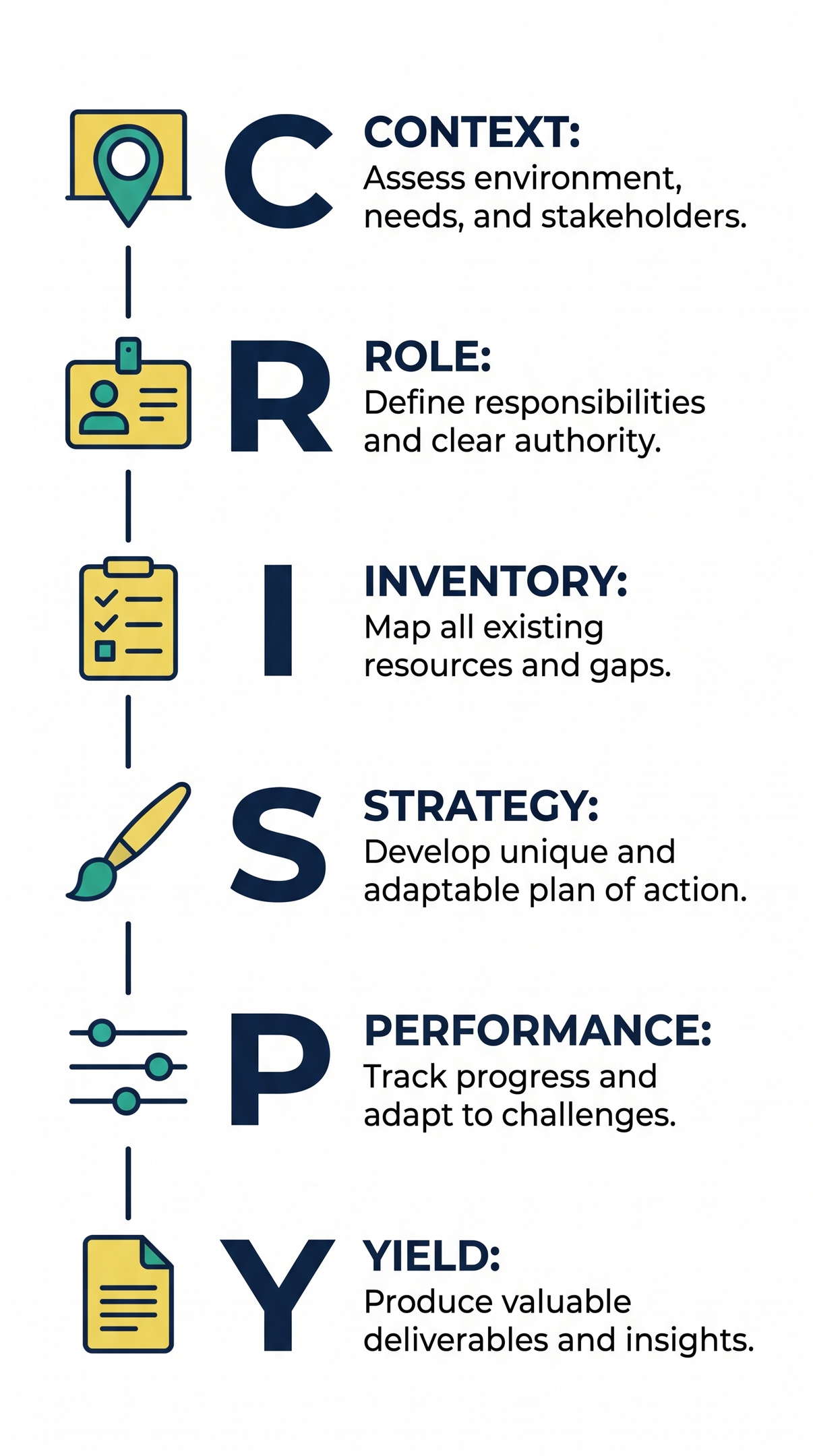
Used well, a structured prompt like this lets teachers generate multiple versions of a resource in minutes, which is where AI tools start to genuinely enhance teaching. Here is a CRISPY prompt teachers can adapt.
CRISPY prompt for adapting a worksheet
Context: I am adapting a worksheet for [year group] pupils on [topic]. The learning objective is [insert learning objective]. Pupils already know [insert prior knowledge]. The key idea is [insert key idea].
Role: Act as an experienced teacher who understands adaptive teaching, scaffolding and curriculum coherence.
Instruction: Create three versions of the same worksheet: scaffolded, standard and greater depth. The learning objective must be the same for each one.
Style: Use clear, pupil-friendly language and a simple layout.
Parameters: Keep all three versions focused on the same learning objective. Do not lower expectations, remove essential vocabulary or add irrelevant contexts. Use worked examples where helpful. The greater-depth version should deepen understanding through reasoning, comparison or error-spotting, not just harder numbers.
Yield: Present Version A, Version B and Version C, with answers, three common misconceptions and one teacher check question for each as a word file.
After the output appears, the teacher should check: do all three versions teach the same core idea? Has the scaffolded version kept the thinking? Has the greater-depth version deepened understanding rather than just adding more work?
How teachers can use AI for feedback without using it on pupil work
Feedback is a sensitive area of AI use. A risky version involves teachers uploading pupil work and asking a tool to mark it. This raises concerns about personal data, intellectual property, accuracy, and professional responsibility.
A safer approach is to use AI around the feedback process, not as a marker of identifiable pupil work. Teachers identify patterns, and AI helps draft responses. For example, a teacher might notice that many pupils used evidence but didn’t explain its support. The teacher diagnoses this, and AI helps turn it into a whole-class feedback sheet, model answer, or improvement task. The crucial professional act is not writing a sentence but noticing that pupils misunderstood what counts as evidence. AI can help with wording, but the teacher must do the diagnosis.
Where teachers should be cautious
Some boundaries need to be clear. Pupil work can contain names, handwriting, school details, personal experiences or other identifying information. Even when names are removed, the content may still be sensitive. There is also an intellectual property issue. Pupil work and teacher-created materials may be protected by copyright. Schools should not assume that work can be uploaded into AI tools, stored, reused or used to train models simply because it was produced in school.
Teachers must follow school policy, data protection rules, and advice from the data protection officer when using AI tools with school data in education settings. Similarly, caution should be exercised with reports and assessment grades. AI should not process personal information about named pupils or make assessment judgements. These habits are the foundation of using AI safely in school.
A simple rule helps: If the information identifies a pupil, parent, colleague or school-specific situation, or includes pupil-created work, do not put it into an open AI tool.
Generative AI tools
Teachers do not need a huge AI toolkit. Too many tools can create more work, more risk and more confusion. A small number of well-understood tools, used within the confines of a school policy, is usually better than a long list of half-tested tools.
AI chatbots like ChatGPT and Claude are versatile tools but don’t know your school’s curriculum, pupils, assessment model, or safeguarding expectations. School policies may restrict their use due to data protection concerns. The DfE’s generative AI in education guidance sets out what to check first. The most advanced tools are usually behind paid subscriptions or school licences. Free versions are useful but may be slower, less capable, or have limited features. This matters because AI quality varies, and teachers with access to stronger tools get better planning support, explanations, and feedback drafts than those relying only on free versions.
Copilot or Gemini may offer advantages if schools already use either education package, depending on licensing, settings, and policies. The biggest being that it minimises the data risks as an input is not used to train models. Oak National Academy’s Aila may feel more education-specific because it’s designed for teachers, removes the need for prompting and linked to curriculum thinking. Whichever tools a school chooses, no platform removes the need for teacher judgement.
AI for maths specifically
Generalist AI tools are useful in maths, but they need close supervision. They can draft practice questions, suggest examples, create retrieval quizzes and generate explanations. That is helpful for teachers. But a fluent maths explanation is not automatically a good maths explanation. A question can be accurate but badly sequenced. A set of examples can look varied without drawing attention to the mathematical structure. A reasoning task can ask pupils to explain before they have enough fluency to reason with.
In maths, the human expert matters because the detail matters. Teachers need to check the notation, the order of examples, the size of the steps, the likely misconceptions and the relationship between modelling, practice and feedback. This is especially important for pupils receiving intervention. They do not just need more questions. They need carefully chosen questions that reveal what they understand and what they need next.
Purpose-built AI maths tutors sit in a different category from general chatbots. These tools are designed to work directly with pupils rather than to generate content for a teacher to check, and that is a much higher bar than asking a chatbot for ten questions on fractions.

How Skye personalises learning
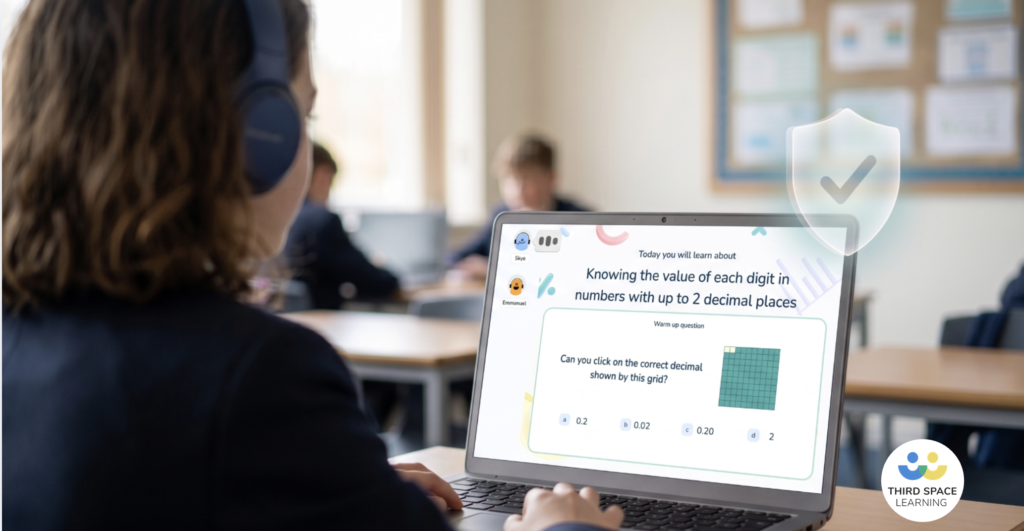
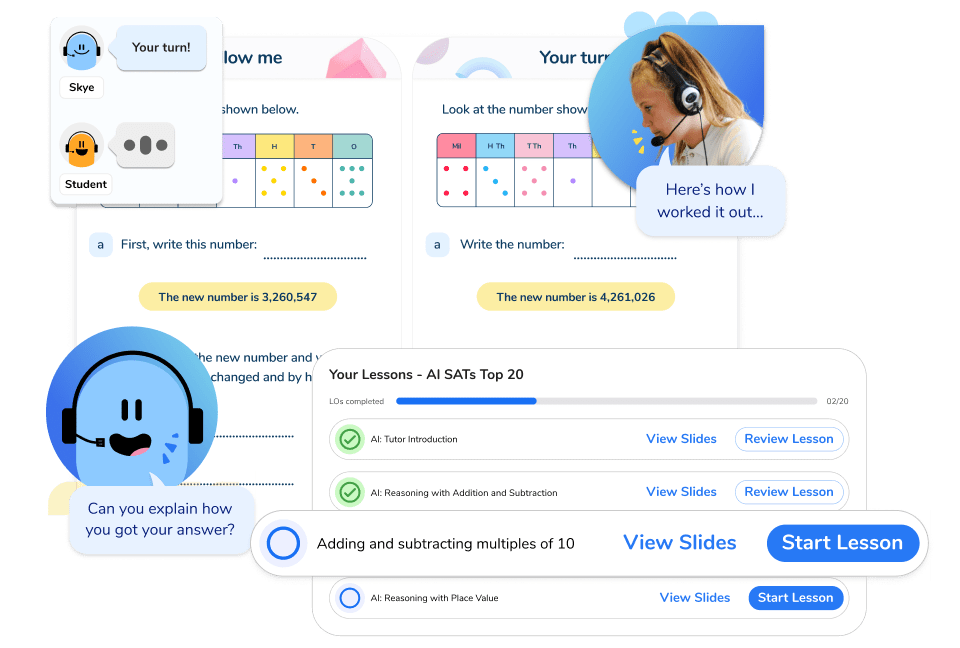
Skye, Third Space Learning’s spoken AI tutor, is one example. It does not generate its own lessons: it teaches from a curriculum written by maths teachers, talking to pupils and listening to their spoken and written answers as they work through a shared screen. What makes the support personalised is not guesswork but assessment.
Each lesson opens with a Skill Check In, a short diagnostic question the pupil answers independently. This sets the pathway in real time. A pupil who shows secure understanding skips the scaffolded teaching and moves straight to independent practice and challenge, so no time is spent re-teaching what they already know. A pupil who is not yet secure works through the full sequence of explicit teaching, modelling and guided practice. Teachers can see the diagnostic result in the session log, so they know exactly what each pupil understood before the lesson began.
From there, Skye adapts as the pupil works. A wrong answer prompts a hint rather than the answer; a second prompts more explicit scaffolding; a third leads Skye to model the method step by step before moving on. The pitch, pace and level of help shift with what the pupil demonstrates, keeping them in what teachers would recognise as the Zone of Proximal Development: stretched, but not stuck.
Each lesson closes with a Skill Check Out, a summative assessment of whether the learning objective has been met. The results are visible to teachers straight after the session and built into a cumulative progress report, so the tool is not merely generating content; it is working to support students, build evidence of what each pupil understands and help them develop understanding over time. If a pupil does not reach mastery, the teacher can schedule a follow-up on the same topic or flag it for classroom reinforcement, and lessons can be re-ordered at any point to match the intervention or what is happening in class.
What I tell other teachers when they ask where to start with AI
The worst way to start with AI tools is to try to use them for everything. A better approach is to start with one low-stakes task where no personal data is involved, the output can be checked quickly, the task is genuinely time-consuming, and the teacher remains in control.
Good starting points include drafting a parent email from anonymised bullet points, creating retrieval questions from taught content, generating examples and non-examples, improving the clarity of an explanation, producing a model answer, or creating a first draft of a worksheet.
Teachers should then build a small prompt library. A shared departmental or year-group document with five strong CRISPY prompts is more useful than a folder of fifty generic ones. Teachers need to understand what AI technologies can do, what it cannot do, why outputs need checking, how bias and hallucination can appear, how to use AI safely, and what the school’s policies are.
For teachers who want regular, practical examples of how to use AI intelligently and ethically in schools, I write about prompts, classroom workflows and evidence-informed AI use through ForSchools.AI. Third Space Learning’s guides to AI literacy and AI training for teachers are also useful starting points.
The bigger picture: what AI means for teaching as a profession
Artificial intelligence will impact various aspects of teaching, including planning, resource creation, administration, communication, tutoring, assessment support, and pupil access to explanations outside the classroom. However, the core of teaching remains unchanged. Teachers still need to be knowledgeable about the curriculum, explain clearly, model carefully, check understanding, respond to misconceptions, build relationships, motivate pupils, manage classrooms, make ethical decisions, and understand their community. Additionally, there is an equity issue, as some schools have better tools, infrastructure, and training, while others rely on individual teachers experimenting alone. If AI exacerbates this gap, it may widen rather than close it. The conversation about AI in education is no longer about whether to use these tools, but how to use them well across the whole education system.
AI as a partner, not a replacement
The best use of AI in education is not to make teaching less human, but to reduce teacher workload to provide more time for the human work that matters most – classroom interactions. AI should not make teachers less thoughtful. It should reduce some of the drafting burden currently experienced by the education workforce so that teachers have more time and attention for curriculum, explanation, feedback, relationships and professional judgement. AI does not produce excellent teaching on its own; it gives skilled teachers more room to do it. That is where the human expert stays in the loop.
For school leaders looking at implementation, Third Space Learning’s guides to AI in the classroom and AI in education are useful next steps.
AI in teaching FAQs
No. AI may automate some administrative tasks and support some aspects of planning, tutoring and resource creation, but AI cannot replace teachers. Teaching depends on relationships, professional judgement, subject knowledge, safeguarding, motivation and responsive decision-making.
It is a rule of thumb that AI should handle around 30% of a task, usually the repetitive drafting, while people keep the other 70%: the judgement, creativity and decisions. In teaching, that mirrors the idea that AI does the draft and the teacher does the judgement.
It is a framework suggesting AI success is roughly 10% algorithms, 20% technology and data, and 70% people and process. For schools, the lesson is clear: training, habits and professional judgement matter far more than which tool you happen to choose.
Not reliably. AI detection tools are imperfect and can produce false positives and false negatives. Teachers should be cautious about relying on them as proof.

DO YOU HAVE STUDENTS WHO NEED MORE SUPPORT IN MATHS?
Skye – our AI maths tutor built by teachers – gives students personalised one-to-one lessons that address learning gaps and build confidence.
Since 2013 we’ve taught over 2 million hours of maths lessons to more than 170,000 students to help them become fluent, able mathematicians.
Explore our AI maths tutoring or find out about the AI tutor for your school.